Clients book themselves, no back-and-forth about time
Send one link to a Telegram chat. The other person picks a free slot in your Google Calendar in two taps and gets a reminder in Telegram. No sign-up, no email, no "maybe Thursday instead?".
Free plan with no time limit. No card required.
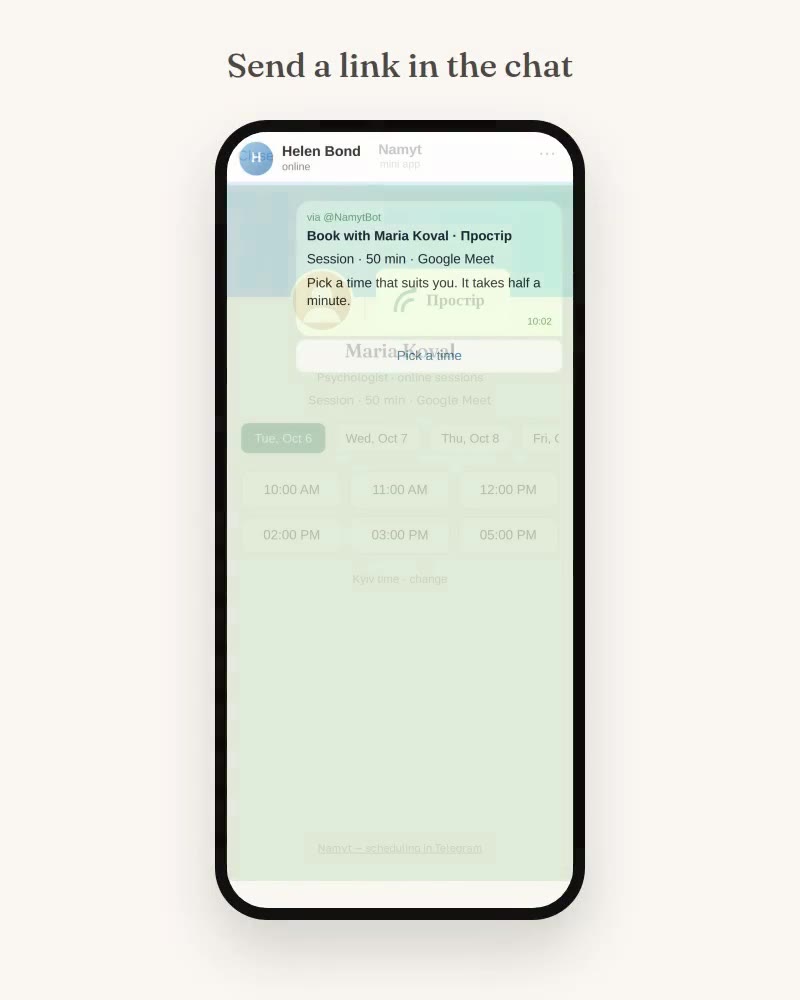
One meeting. Nine messages or one link?
Of your calendar, the other person only sees your free time, in their own time zone. What's in your calendar stays private.
Three steps, and you never coordinate times by hand again
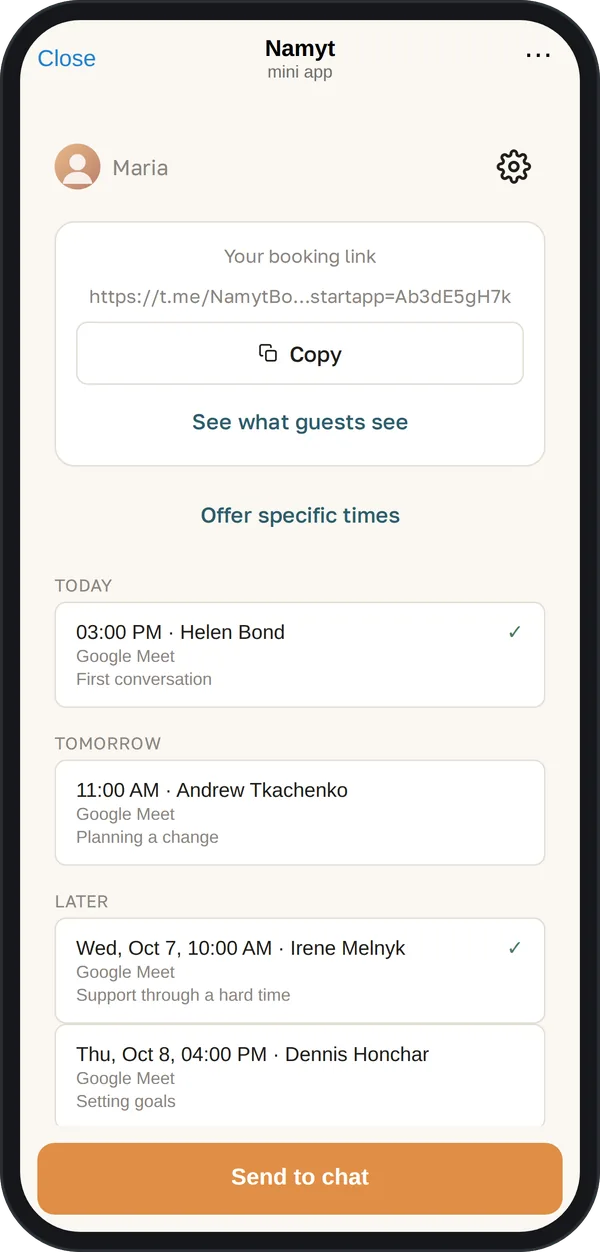
1. Connect Google Calendar. Namyt only checks when you're busy and when you're free, without reading your other events, and creates events for new meetings.
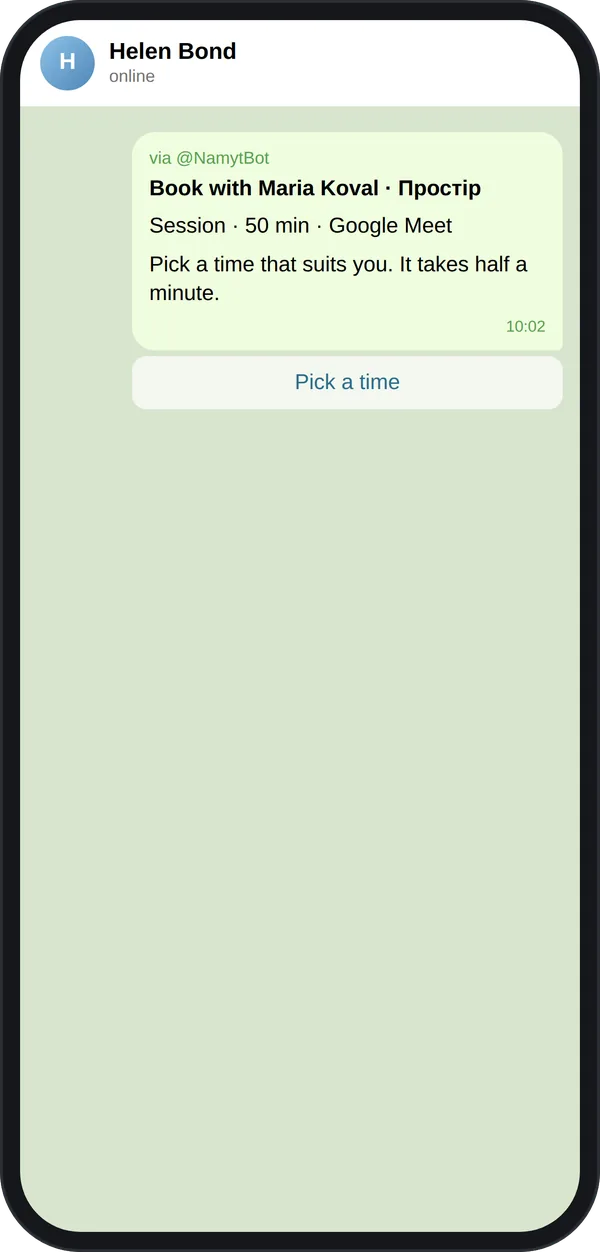
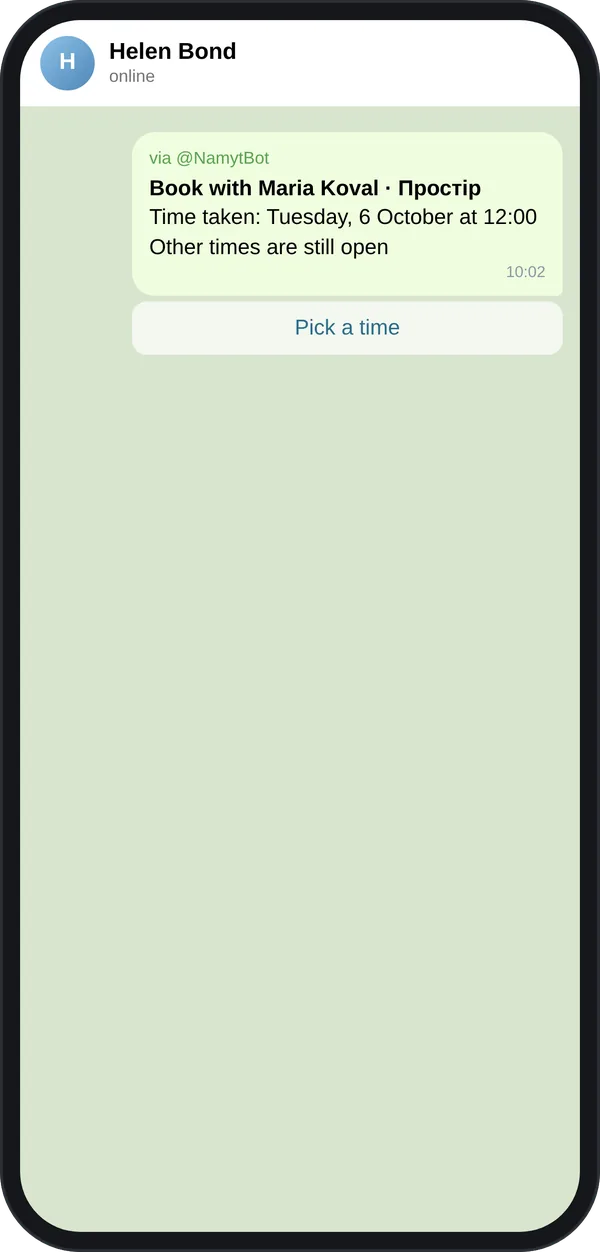
2. Send your link. To any Telegram chat, or as a card via @NamytBot. It opens right over the conversation, no separate app. The card in the chat shows your photo or initials, your name and service, and updates to the booked time once someone books.
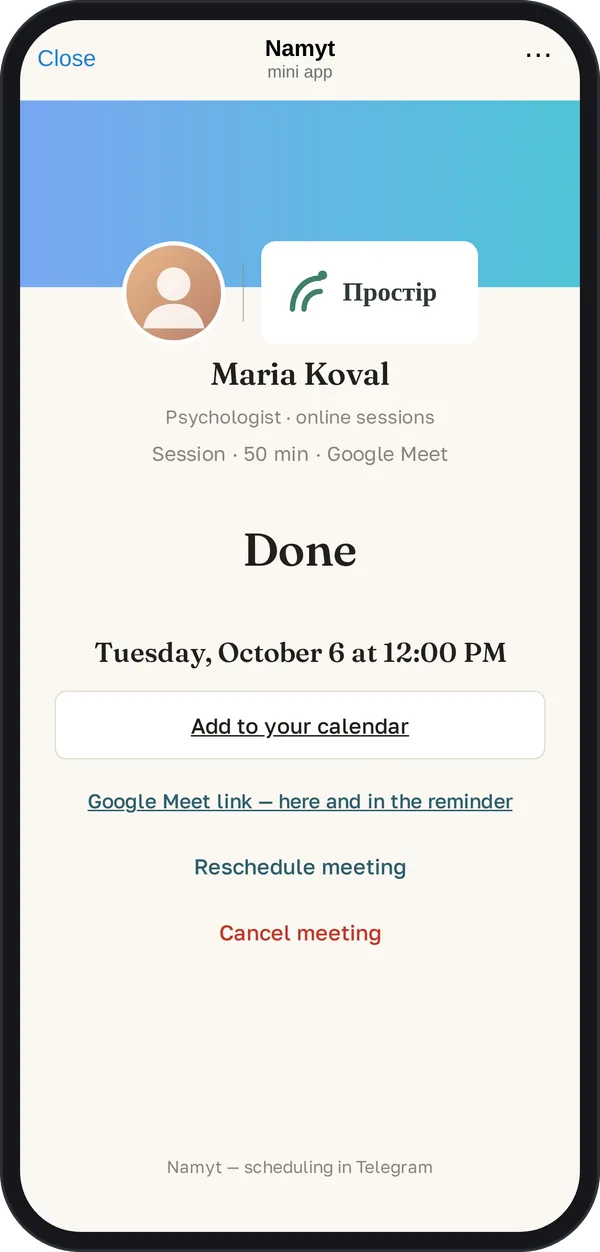
3. They pick a time. The meeting lands in your calendar with Google Meet, Zoom or your own link. Your guest gets reminders in Telegram; you get a message for every booking, reschedule and cancellation.
No separate sign-up: Telegram already knows who you are. The first screen connects Google Calendar right away, and Google Meet is created automatically. Comparison with Calendly
Your guest needs nothing but Telegram
This is where most booking tools lose people: a jump to the browser, a form, an email field. Namyt has none of that.
What the guest has to do on top
- •Sometimes Telegram asks to accept its terms the first time the app opens: 1 tap
- •"Next"
- •Type a name(typing)
- •Type an email(typing)
We do not count identical steps: opening the link, picking a day and time, confirming the booking. Calendly: a booking page with the default form (name and email), no extra questions or payment; checked on October 13, 2026. Other owners' pages may differ. How we counted. Calendly is a trademark of its owner; Namyt is not affiliated with Calendly.
No sign-up, no email
Telegram already knows who's booking. We never ask for the guest's email; any questions before booking are added by the link owner.
In their own time zone
Your guest sees your free time in their local time, no mental math.
Reschedules and cancels on their own
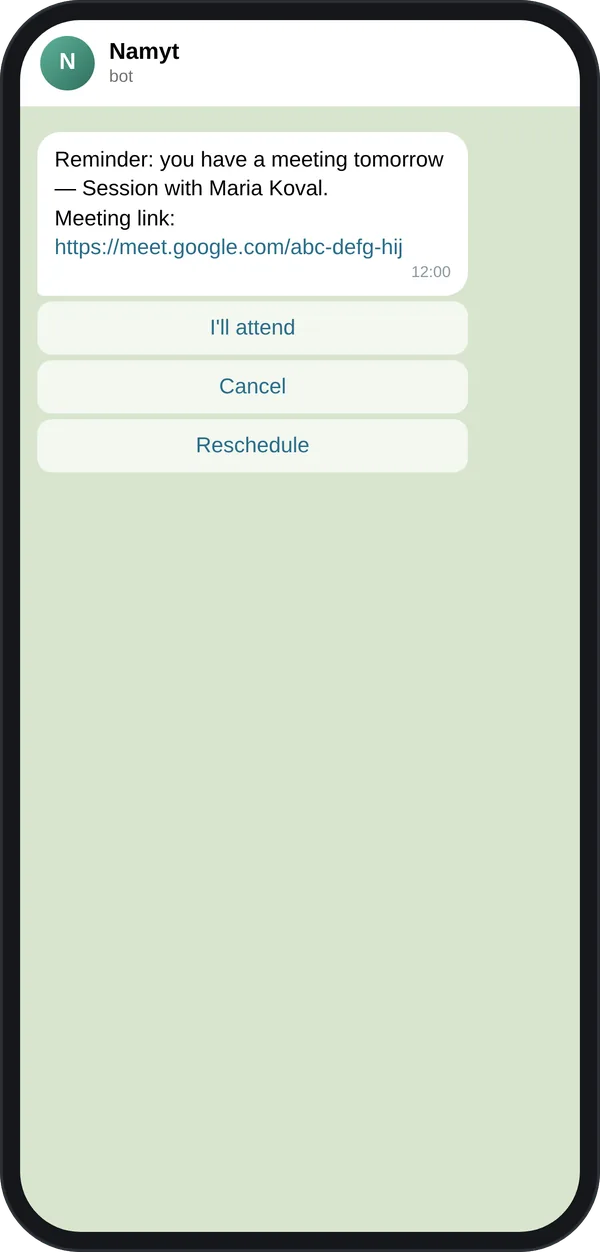
The reminder a day before has a reschedule button, and every reminder has a cancel button. No messages back and forth with you.
Adds it to their calendar
One "Add to calendar" button after booking.
For regular clients and for group meetings
Recurring meetings
When booking, a client picks weekly or every 2 weeks, and that time is held for them. You can move one meeting, change the time of the whole series or pause it for a holiday. If something new clashes in your calendar, Namyt asks you what to do.
Group meetings
Two ways. Pick 2 to 6 options from your free time and send a poll to the group chat: people vote with buttons and see which time works for everyone. Or let participants choose from your free time over the next 7 or 14 days: everyone marks every slot that suits them, and the chat shows the three best options. When a time works for everyone, the meeting with Meet or Zoom is scheduled automatically. No need to add the bot to the group.
Your booking page looks like you
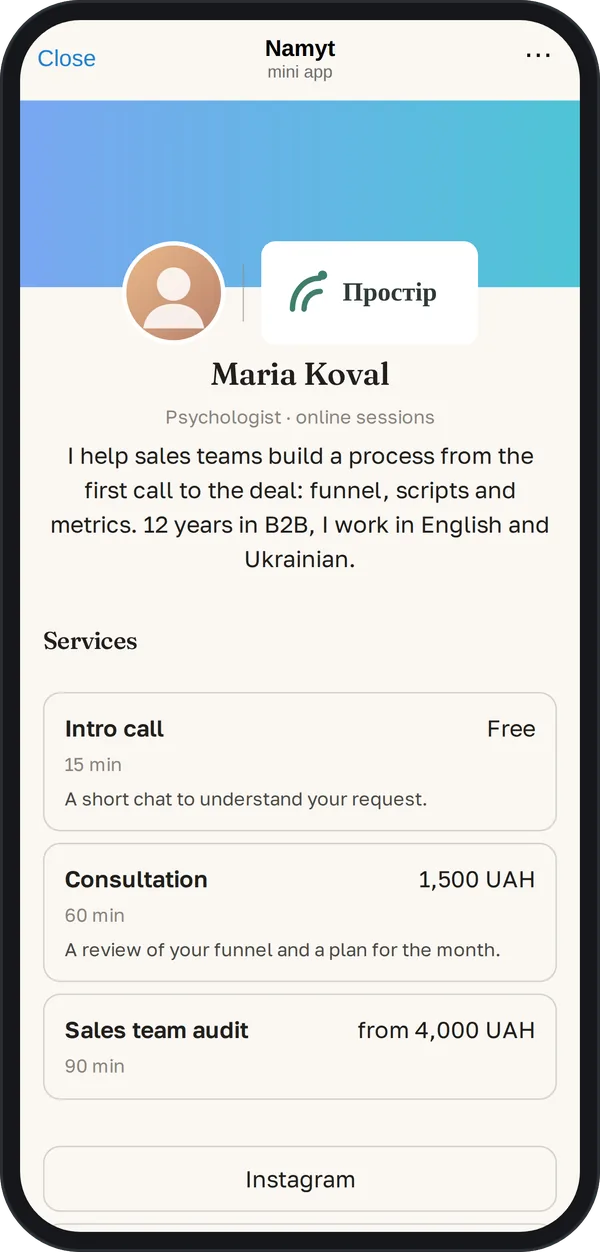
Pro- A profile page: "About me", services with duration and price, links to Instagram or your website
- A short link with your name that's easy to say out loud: t.me/NamytBot?startapp=maria-koval
- Your look: color, photo, company logo and name, cover image, no Namyt signature
- Up to 3 questions for the guest before booking, answers go straight to your calendar
- Your own text in the day-before reminder, like "Please prepare your questions"
Service prices are information for your clients. You take payment as usual, outside Namyt.
Namyt, Calendly or just chatting
| Chatting | Calendly | Namyt | |
|---|---|---|---|
| Free version | — | Yes: 1 event type, 1 calendar | Yes: 1 meeting type, 5 meetings a month right away plus 5 more on your confirmation, with reminders |
| Where the guest picks a time | In the chat, message by message | On a website, in the browser | In Telegram, over the chat |
| What the guest enters | Nothing, but replies several times | Name and email, required | Nothing by default; the owner can add up to three questions |
| Automations and reminders | You write them yourself | From the Standard plan | Guest reminders in Telegram, on the free plan |
| Guest reschedules on their own | No | Yes | Yes |
| Paid plan | — | $12 a month per user or $10 billed yearly |
Calendly data: calendly.com/pricing, checked on October 5, 2026. Prices and terms may change. Calendly is a trademark of its owner; Namyt is not affiliated with Calendly. More → link
Start free. Go Pro when you have more meetings.
For 14 days after your first guest booking you get full Pro. No card required.
Free · UAH 0 / $0
- •5 meetings a month right away and 5 more on your confirmation; after 10, booking closes until next month
- •One meeting type
- •One recurring series and one group poll a month
- •Telegram reminders for your guest a day and an hour before
- •Google Meet, Zoom or your own link
- •Booking page with the Namyt signature
- •Help articles on the site
Pro
No limits:
- Unlimited meetings: every booking is confirmed automatically
- Several meeting types, each with its own schedule
- Unlimited recurring meetings and group polls
Your page:
- A profile page with services, prices and links
- A short link with your name
- Your look: color, photo, logo, cover, no Namyt signature
- A photo in the link card in chats
Talking to clients:
- Up to 3 questions for the guest before booking
- Your own reminder text, meeting type description and after-booking message
- Support in Telegram: we reply within one business day
Built out of my own frustration
"I kept arranging meetings in Telegram and kept running into clumsy tools: you have to send people to a browser, ask for their email, and getting several people together turns into a job of its own. I wanted people to pick a time right in the chat, with no email and no busywork. I built Namyt for myself first. Now anyone can use it."
Is it safe for my calendar?
Does my guest need to install anything?
What happens after the trial?
Where do I pay for Pro?
Can I cancel anytime?
Can my guest reschedule on their own?
How do I handle regular clients?
How do I schedule a meeting with a group?
Can I meet on Zoom?
Can I take payments through Namyt?
Where can I find help?
Let the next person pick the time themselves
Create your link for freeFree, no card. All you need is Telegram and Google Calendar.